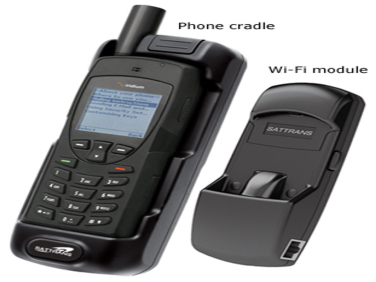
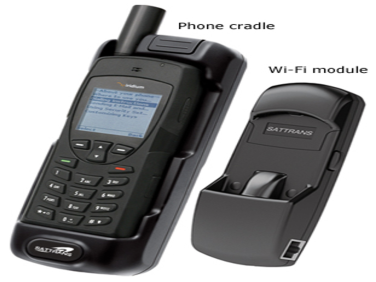
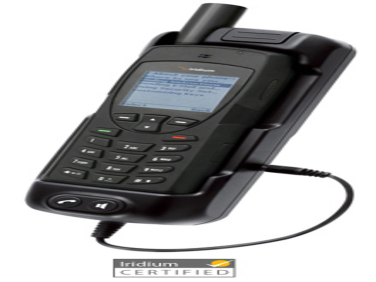
Wi-Fi CommStation for Iridium 9555

  • NG # 03230-HW-Iridium-029

Manufactured By :
Iridium
Need Help Ordering?
Call +88 01714243446

Custom Pricing

Get A Quote
Need Help Ordering?
Call +88 01714243446

Stock

Custom Pricing

Get A Quote

Overview

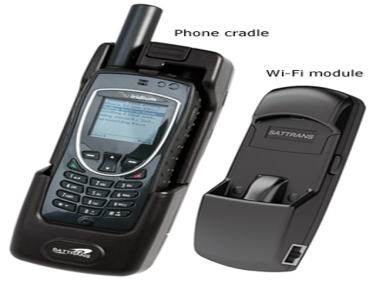
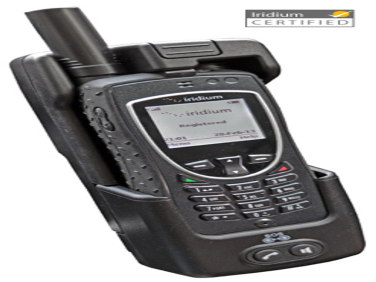
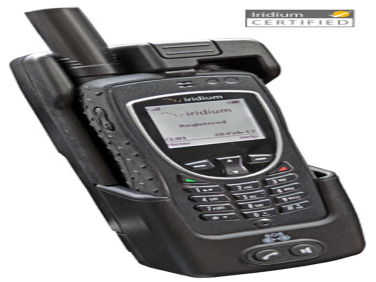
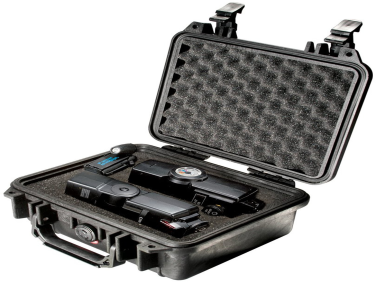
The Wi-Fi CommStation for Iridium 9555 is an accessory to Iridium satellite phones that allows you to use smartphones, tablets, and laptops for satellite voice calls, text messaging, emergency alerts and data services. The CommStation is designed for use in various types of mobile and fixed installations, including vehicles, trains, vessels, offices, shelters, base camps.

Specification

Features


  • Satellite-backed wireless access point for up to 10 Wi-Fi enabled devices.
  • Services available directly from mobile devices:

-  Two-way satellite voice calls

-  Sending and receiving satellite text messages (SMS)

-  Email, web browsing, weather-data and news fetching (via specialized apps)


  • PBX capabilities allow in-network voice, data and text messaging for connected devices
  • Extendable architecture: multiple CommStation units can be networked together to provide for extended Wi-Fi range and greater number of connected devices
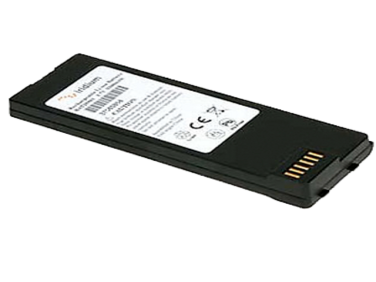
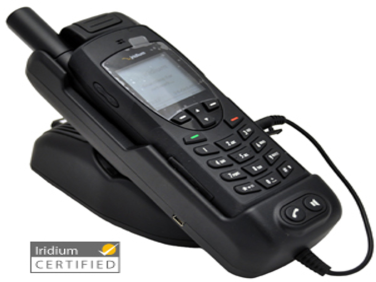
  • Charges satellite phone battery
  • Provides proper organization of dashboard, instrument panel, other working spaces
  • Direct use of satellite phone via keypad when needed
  • Compatible with Iridium Mail & Web (free), XGate, Speedmail, OCENS Mail, other optimized Iridium apps (subscription required)
  • No drivers needed for Windows or MacOS devices
  • Limited 2-year worldwide warranty
  • Certified by Iridium for use on its network and terminals


Specifications


  • Compatibility: Iridium 9555
  • Operating temperature: -13...176° F (-25...80° C)
  • Input power: 12V DC, max 2A
  • Wi-Fi range: up to 60 feet (~20 m), subject to working environment.
  • Cradle dimensions: 7.5 x 2.8 x 2.4 in.
  • (190 x 70 x 61 mm)
  • Weight (cradle + Wi-Fi module): 0.6 lbs (270 g)
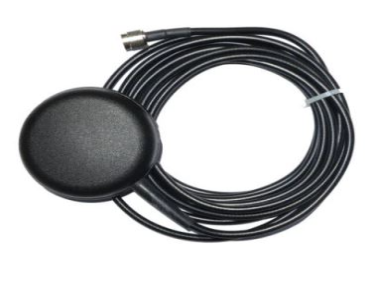
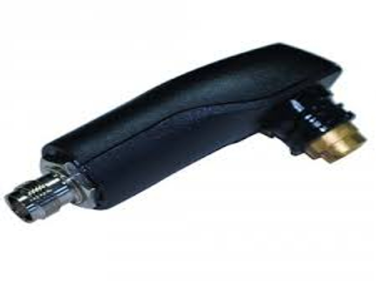
  • Ports: 1) TNC-female antenna connector, 2) power input (miniUSB), 3) LAN socket (RJ-45)

Other Iridium Products

9555 Office Docking Station with RJ-11

Iridium 03216-HW-Iridium-015

Wi-Fi CommStation for Iridium Extreme (9575)

Iridium 03231-HW-Iridium-030

Iridium GO Wall-Mount Bracket - Mount Your Iridium GO

Iridium 03226-HW-Iridium-025

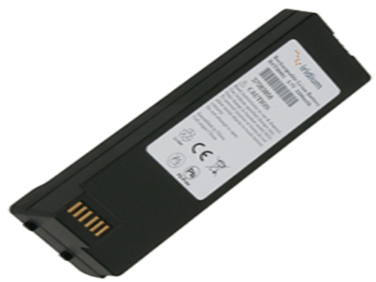
9555 Hi Capacity Li-Ion Battery

Iridium 03214-HW-Iridium-013

Iridium International Plug Kit

Iridium 03227-HW-Iridium-026

BUYERS WHO LIKED THIS PRODUCT ALSO LIKED

Hubbell Anchor, Tool, Kelly Bar Adapter, 3.0in Square, 20,000 ft-lb rating

Hubbell Industrial Tools & Accessories 03019-HW-HUBBELL-009

Temperature Transmitter

Bliss Flow Systems Industrial Tools & Accessories 0405121-HW-BFS-021

Motorola HKLN4599 - headset

Motorola Computer & Electronics 02454-HW-ISAFE-005 HKLN4599

Iridium GO Wall-Mount Bracket - Mount Your Iridium GO

Iridium 03226-HW-Iridium-025

Getac V100-Ex2 - Explosion proof notebook for ATEX Zone 2 (Discontinued)

Getac Computer & Electronics 00400-HW-ECOM-0114

Keystone Optiseal Resilient Seated Butterfly Valve with Powered Actuator

KeyStone Industrial Tools & Accessories 02999-HW-KEY-011

Poly RealPresence Clariti - license - 1 concurrent user

Poly Software & Licenses 1656-SW-POL-011 5230-51012-000

Pitney Bowes Red Ink Cartridge for SendPro® Mailstation

Pitney Bowes Computer & Electronics 02906-HW-PITNEYBOWES-016

Honeywell MeshGuard CO2 IR

Honeywell Industrial Tools & Accessories 01566-HW-HNWEL-258 01566-HW-HNWEL-258

Miller Safety Straps

Honeywell Safety & Security 01803-HW-HNWEL-280
Your privacy

When you visit any website, it may store or retrieve information on your browser, mostly in the form of cookies. This information might be about you, your preferences or your device and is mostly used to make the site work as you expect it to. The information does not usually directly identify you, but it can give you a more personalized web experience. Because we respect your right to privacy, you can choose not to allow some types of cookies. Click on the different category headings to find out more and change our default settings. However, blocking some types of cookies may impact your experience of the site and the services we are able to offer. You can get more information by going to our Privacy Policy or Statement in the footer of the website.

Strictly necessary cookies
Always active

These cookies are necessary for the website to function and cannot be switched off in our systems. They are usually only set in response to actions made by you which amount to a request for services, such as setting your privacy preferences, logging in or filling in forms. You can set your browser to block or alert you about these cookies, but some parts of the site will not then work. These cookies do not store any personally identifiable information.

Cookies details

Performance cookies

These cookies allow us to count visits and traffic sources so we can measure and improve the performance of our site. They help us to know which pages are the most and least popular and see how visitors move around the site. Most of these cookies collect and process aggregated (anonymized) information without identifying individuals. If you do not allow these cookies we will not know when you have visited our site, and will not be able to monitor its performance.

Cookies details
Functional cookies

These cookies enable the website to provide enhanced functionality and personalisation. They may be set by us or by third party providers whose services we have added to our pages. If you do not allow these cookies then some or all of these services may not function properly.

Cookies details
Targeting cookies

These cookies may be set through our site by our advertising partners. They may be used by those companies to build a profile of your interests and show you relevant adverts on other sites. They do not store directly personal information, but are based on uniquely identifying your browser and internet device. If you do not allow these cookies, you will experience less targeted advertising.

Cookies details
Ask Query
All RFQ Product Added In Query!

Check all added RFQ in one place, hit the button to show all added RFQ.

Submit RFQ
```blade ```